Leanburn Internship 2023
The fuel savings were already inside the engines. Fleets just couldn't see them
Leanburn helps fleet managers find the fuel they're wasting: how far each fleet is from its potential fuel economy, which engine settings would close the gap, and whether anyone is acting on it. It's early work from my internship, kept in its original style.
- Role
- UI/UX Design Intern
- Timeline
- Jul 2023 to May 2024
- Team
- Who you worked with
- Skills
- Dashboard design, Data visualisation, Charts, Design handoff
My role
So my job, as an intern, was to put the savings first, where a fleet manager would see them.
I designed the KPI dashboards and charts: the overview, the fleet table, feature adoption and the fleet drill-down.
- Problem
- The engine settings that save fuel existed but were rarely switched on, and the data sat in spreadsheets.
- What I did
- Designed dashboards that lead with gallons saved, rank fleets by the gap to their potential, and show which settings each fleet is missing.
- Result
- Built so a fleet manager can see where the fuel is going and which setting to change first.
Internship work at The Cloud Company for an engine manufacturer. Names and data are changed.
Problem
Fleets were paying for fuel their own engines could have saved…
Modern engines ship with settings that cut fuel use, like gear-down protection, road speed governors and predictive gear shifting, but they're often left off. Recommendations to turn them on were made in spreadsheets and rarely followed up.
…but the settings that save it were rarely switched on.
Every truck running without them burns fuel it doesn't need to, and nobody could see which fleets had the most to gain.
Who it’s for
- Fleet managersFind the fleets and engines with the most fuel to save.
- EngineersCheck each engine's settings against the suggested and simulated values.
From a spreadsheet of recommendations to a list that gets done.
Before: Recommendations kept in spreadsheets
After: Recommendations with a status on each fleet’s page
Before: Miles per gallon, as the engine reports it
After: Gallons saved, which a manager acts on
Before: Every fleet looked alike in a table
After: Fleets ranked by the gap to their potential
Before: Follow-ups lost in email threads
After: Comments that stay with the fleet’s data
Core idea
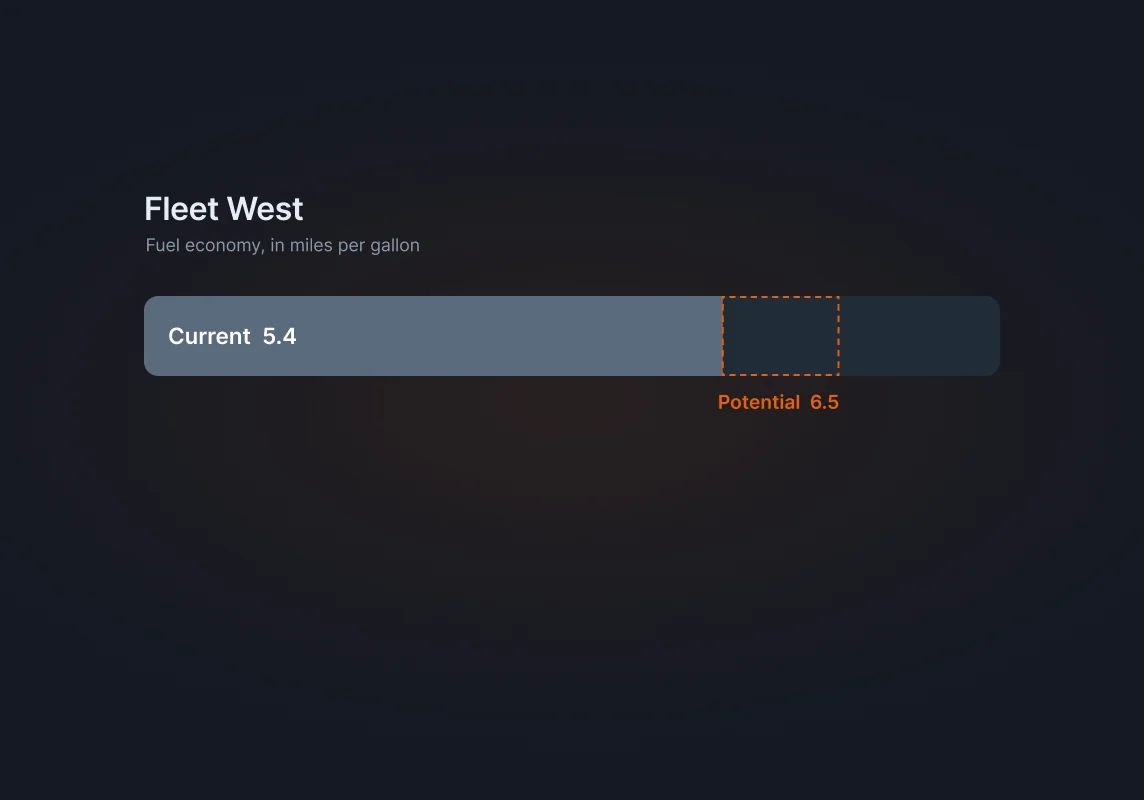
The opportunity is the gap between what a fleet does and what it could do.
The dashboards rank every fleet by that gap, so the longest bar is also the first job.
The savings gap
- Potential economy
- Fuel economy with the saving settings switched on.
- Current economy
- What the engines report today.
- The gap
- Ranked across fleets, it becomes the to-do list, shown as gallons saved.
Decisions
Three calls shaped the dashboards.
Decision 1: Lead with gallons saved, not miles per gallon
MPG is what the engine reports, but gallons saved is what a manager acts on. The overview opens with estimated yearly savings, open recommendations and the fleets with the most room to improve.
Headline KPIs Decision 2: Current and potential in one chart
Each fleet's current fuel economy sits against its potential, ranked by the gap. The longest gaps are the best opportunities, so the chart doubles as a to-do list.
Current against potential, per fleet Decision 3: Adoption shown against the whole fleet
Each fuel-saving feature shows its adoption in the filtered fleets next to all fleets, so a manager can see where they lag the average.
Feature adoption
Solution
A fleet manager can see the opportunity, find the fleet behind it, and drill down to the engines.
Here is the overview, then the fleet drill-down.
From the overview down to one engine.
- 1See the opportunityEstimated yearly savings and open recommendations, first.
- 2Pick the fleetFleets ranked by the gap between current and potential.
- 3Check the settingsEach fuel-saving feature’s adoption, against all fleets.
- 4Drill to the engineEngine types and build years, then one row per engine.
- 5Follow it upComments stay beside the fleet’s data.
- 1Headline KPIs: estimated yearly savings, open recommendations, fleets with room to improve, latest fuel economy.
- 2Current against potential fuel economy, per fleet, ranked by the gap.
- 3The fleet table: manager, savings, current and optimal fuel economy, engine count.
- 4Feature adoption, filtered fleets against all fleets.
One fleet, down to its engines
Engine types, savings, top recommendations with their status, build years and transmission types, then one row per engine.
Follow-ups stay with the fleet
A comments tab sits beside each fleet's overview, so the follow-up on a recommendation stays with its data instead of in an email thread.
More screens
From the fleet down to one engine
Outcome
Built so fuel-saving settings get switched on, not just recommended.
These are the effects the design was built for, not measured results. Next to each is the signal that would show it.
Recommendations get followed up
What would show it: Open recommendations closed each month.
More engines run with fuel-saving features on
What would show it: Feature adoption across fleets, before and after.
Fleets move toward their potential
What would show it: The gap between current and potential fuel economy, per fleet.
Reflection
What did I learn?
This was my first data-heavy product. A dashboard is only as good as the decision it leads to, and the charts that worked best were the ones that ranked something.
What would I change?
Today I'd design the follow-up, not just the insight: who owns a recommendation and what happens after it's made. The dashboards showed the gap; they didn't do enough to close it.
Next case study
Skillset